
2026.10.20
STEAL THE SHOW
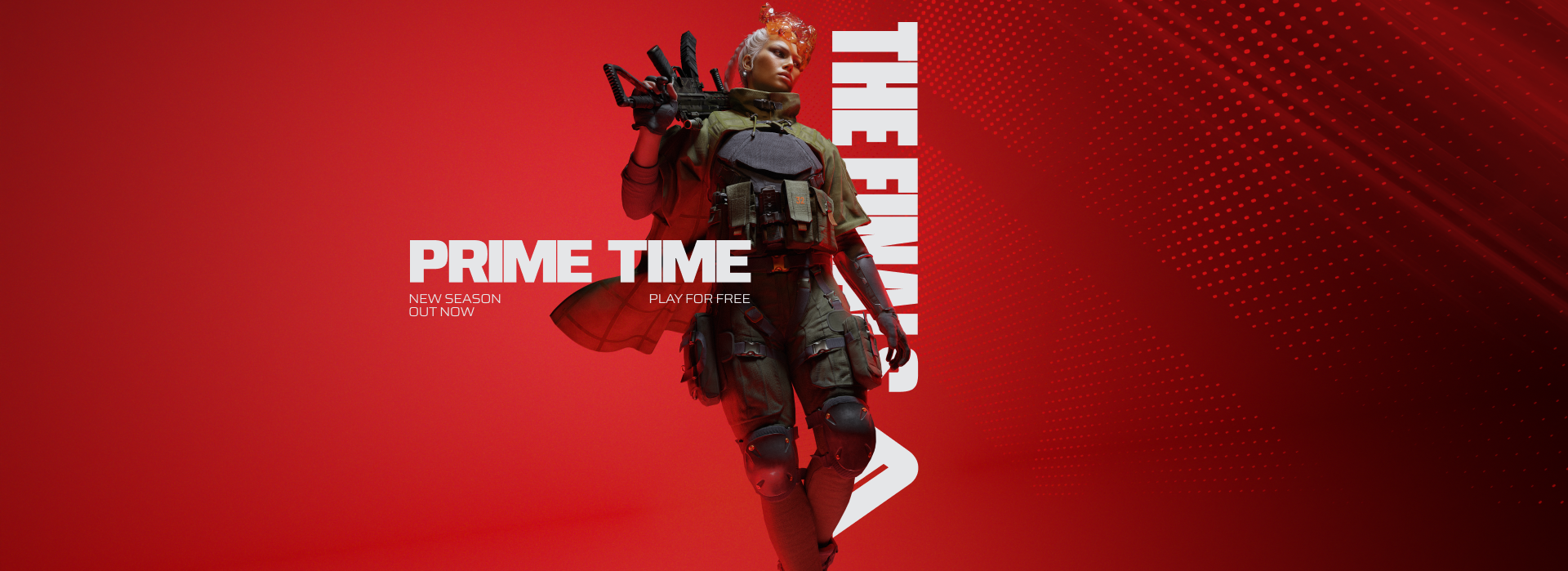
The spotlight is on, the cameras are rolling, and the Arena has never looked better or hit harder!
This new season is a celebration of what makes THE FINALS THE FINALS. The spectacle, the destruction, and the sheer dynamism of a game show where anything can come crashing down.
We’ve rebuilt the very heart of the show: destruction itself. Structures now collapse like never before, explosions send the world flying with all-new Blast Waves, and the Arena evolves into a unique playground after every firefight. On top of that, we’re rolling out major reworks to some of your favorite Arenas, a complete lighting overhaul, and a long list of changes big and small to make THE FINALS look better, feel better, and play better than ever.
The stage is set and the audience is waiting. It’s PRIME TIME!
Let’s take a closer look at everything new.
ARENA UPDATES | REWORK & VISUAL UPGRADES
PRIME TIME isn’t just about how the Arena breaks, it’s about how it looks, feels and plays. This season we’ve given several of your favorite Arenas a major pass, with visual upgrades all tied together by a brand new, game-wide lighting system. Some of these Arenas also offer layout reworks across the board, bringing new gameplay opportunities for you to discover.
A new coat of paint, everywhere
We’ve carried out a complete rework of lighting and post-processing across THE FINALS, giving the whole game a richer, more polished look. On top of that, we’ve refreshed environmental props, Arena branding, and sponsor decals across every Arena for better visual consistency, and updated the jumbotrons in various Arenas so each one matches its own unique style.
MONACO
Monaco gets significant changes, starting with visual upgrades featuring reworked house interiors with new structural walls, penthouses, and attics. Beyond the fresh look, several areas of the Arena have been completely redesigned with new cover, flanking routes, buildings and objective spaces. All of these changes combined with the destruction overhaul brings new combat options for you to learn and choose.
SEOUL
Seoul has been polished and reworked across the Mall, Data Center, Hospital, Apartments, and Under Construction, with updated storefronts, lighting, signage, interior props, and vegetation. Alongside the visual refresh, we’ve added a new building, new cover, new routes, and a new Cashout Station to create cleaner, more readable fights.
SKYWAY STADIUM
Skyway Stadium sees updated interior visuals across its buildings, paired with a full redesign of the Mansion diorama and layout changes to the Office, Hotels, and Shopping District aimed at creating fairer, more varied playspaces.
LAS VEGAS STADIUM
Las Vegas Stadium gets reworked power positions and sight lines across the Center, OSPUZE Casino, and ALFA ACTA Casino. The fan-favorite Sandstorm variant returns! We’re also saying goodbye for now to the original Las Vegas map and reintroducing Las Vegas Sandstorm!
GAME SHOW EVENTS
We’ve shaken up the Game Show Event rotation this season. Low Gravity has been replaced by the Double Jump event, letting you jump twice straight out of the gate for a fresh way to take to the skies.
At launch, a special mode where you can play Cashout featuring these four Arenas will be available so you can check out all of these changes immediately!
DYNAMISM | DESTRUCTION OVERHAUL
This season we’re bringing the biggest update to the destruction system since launch, the beating heart of THE FINALS, with several brand new features.
GRADUAL DESTRUCTION
Buildings can now hinge, sag, bend, and deform. The result is more unique playspaces every single time you drop in. Gradual Destruction is enabled game-wide, and every map has had its destruction completely rebalanced to make the most of it.
SWINGING SUSPENDED STRUCTURES
All Suspended Structures have been converted into more dynamic Swinging Structures. They now hang from physics-enabled attachments allowing them to swing freely on their connecting ropes when destruction occurs.
BLAST WAVES
Explosions have never felt more impactful. With our new Blast Waves feature, the environment and debris will move, walls will dent, trees can snap, and objects can fly, opening up even more opportunities for dynamism and emergent chain reactions.
The following items can now generate Blast Waves: Breach Charge, Breach Drill, Thermal Bore, C4, RPG-7, Frag Grenade, CL-40, MGL-32, Explosive Canisters, Oil Barrels, Alien Invasion, Retro Invasion 82, Orbital Lasers, and Meteor Showers.
DEBRIS PILES
We’ve enhanced the aftermath of destruction too, with debris piles that dynamically grow and form as buildings crumble. These piles leave the environment with even more opportunities for dynamism while visually bringing the battle’s aftermath to life.
DESTRUCTION AUDIO & VISUAL UPDATES
New audio and particle effects make the fragile, weakened state of partially destroyed buildings easier to read, and we’ve refreshed the visuals for debris and the destroyed environment with new textures and edge models.
DYNAMIC SMOKE & TOXIC GAS
Our smoke and toxic gas cloud systems have been completely reworked. Smoke Grenades and Powder Canisters, along with all Toxic Gas sources, now emits clouds that are more dynamic than ever. Their shape adheres to the environment around them and can even be partially suppressed by explosions for a brief period of time. This forms a new foundation for smoke that we’ll keep building on in future updates.
We’ve also upgraded the physics engine to handle the extra load from the new destruction tech and keep your experience smooth!
NEW PLAYSTYLE | THE INFILTRATOR
The Infiltrator has now made the Arena their home, bringing a new layer of chaos with their ways to camouflage! This brings a new Specialization and two new gadgets to the Light Playstyle!
Learn more about the new Specialization and gadgets below!
TRUE SIGHT
Trouble spotting your opponents with all that debris? With True Sight you can reveal opponents through smoke. Even Contestants that are cloaked or disguised!
MIMIC DEVICE
With the new Mimic Device you can scan objects in the world and then disguise yourself as them, letting you hide even in plain sight, like a chameleon.
TRANSLOCATOR
Need to make a quick escape or sneak up on your opponents? Mark an object in your surroundings and, within range, swap position with that object on demand!
NEW GAME MODE | SOLO SHOWDOWN
Solo Showdown is a brand new way to experience the Game Show as a solo player, debuting in beta as we work to improve the experience!
Compete in a Tournament format and earn as much Cash as possible. Twelve Contestants, three rounds, the four Contestants with the least Cash are eliminated and the one with the most Cash at the end of the final round is the champion.
Each round is randomly selected among 8 available mini-modes, including some familiar ones!
BLAST OFF!
Soar through the air at high velocity equipped with a Grenade Launcher, and a Dash ability
HEAVY HITTERS
Bonk your opponents off the Arena with your Sledgehammer and Charge‘n’Slam. The lower your health, the further you fly!
BOOM BRAWL
Give no quarter to your opponent, Slash and Dash around with your Sword. Avast ye! Eliminated Contestants will leave an explosive surprise behind
SLAM-A-RAMA
Did you ever dream of a Heavy with Jumppad? Well now it’s real. Rise up with your Jumppad and crash back down with an overpowered Charge’n’Slam
SNIPER STANDOFF
Take aim, and shoot accurately! Use your Grapple Hook to reposition quickly and snipe your opponents
WINCH WARS
Use your extended Winch and supercharged kicks and punches to knock opponents off the edge
TURBO TUSSLE
Become a speed demon equipped with a Shotgun and Dash
ONE AND GUNNED
A single bullet loaded in your Revolver, only one shot or a quick kick is needed to eliminate a Contestant. Eliminate opponents to earn additional bullets
Solo Shown won’t ship with a leaderboard in 12.0, but we’re planning to add one shortly after the start of the season, so don’t panic if you aim to chase superstar status in the mode! Solo Showdown is currently in Beta and we plan on making upgrades to it in later seasons.
GAME UPDATE | GAME SHOW PRESENTATION
THE FINALS is a Game Show, and this season we’ve turned up the production value to match. We’ve reworked the presentation around your Matches from start to finish, making every tournament feel like the main event.
It starts in the new pre-match lobby, where you and your team gather before the action with fresh visuals and polish. From there, new team intros put the spotlight on the Contestants stepping into the Arena, leading into an updated tunnel run as you make your entrance. And when you drop in, improved Arena entry visuals (complete with new intro fireworks on Monaco, Seoul, Las Vegas Stadium, and Skyway Stadium) make every arrival feel like showtime.
We’ve carried that same polish through the whole Match, with smoother team intro sequences, updated spawn-in visuals, and a reworked end-of-round presentation that gives your biggest moments the finish they deserve.
GAME UPDATE | DYNAMIC COMMENTARY
You already know Scotty and June, the voices of THE FINALS. This season, we’re taking the Game Show to the next level with the first version of a feature we call Dynamic Commentary, and with it, your name can become part of the show.
With Dynamic Commentary, Scotty can call Contestants out by name when they pull off something worth highlighting, like landing a Cashbox in a Cashout Station from across the map, or going on a revive streak to keep their team alive. We take notable gameplay events and turn them into commentary, including the Contestants and teams involved, and what’s new is that these lines are built from the Match’s context in real time and woven in alongside the commentary already in the game.
Of course, this comes with new demands for stronger moderation. We’re investing in multiple tools to do our best to keep inappropriate names out of the game. These additional layers of protection will hopefully allow Dynamic Commentary to feel safe and fun.
As far as we know, this is the first time an FPS has featured a live commentator, in a live Match, calling Contestants out by name for something they just did. That’s exactly what we’re chasing: elevating the feeling of pulling off an amazing play, and when that name is yours, making you feel like the superstar of the show.
Your privacy, your call. We take your privacy seriously, so you’re always in control:
Playing with Anonymous Mode enabled? Your name won’t be called out to anyone on the server.
Playing with Streamer Mode? We won’t play any lines mentioning other players in your game.
Dynamic Commentary is launching as a Beta feature, and it’s the start of something we’ll keep building on, not the finished experience. We’ll slowly ramp up the number of moments Scotty can react to over the course of the season, aiming for a handful per Match, so we can test the systems in the wild, at scale, and refine as we go.
Truly dynamic, reactive commentary has long been one of our biggest goals for THE FINALS. Getting this foundation into your hands is a massive milestone, and it brings us one step closer to the Game Show experience we’ve always wanted to deliver. We can’t wait for you to hear it, and to hear what you think!
GAME UPDATE | MODERATION UPGRADE
We’ve improved our Moderation tools and policies to ensure that THE FINALS feels fun and welcoming for everyone. Starting now, you should see a significant drop in offensive or toxic content, both in Contestant names and in chat.
As we refine and enforce those policies, you may encounter words and names that you think ought to be blocked or unblocked. We’re happy to hear feedback about the issues you run into so we can actively improve the moderation and feel of both chat and username. You can always write in to player support.
We’re excited to have a stronger moderation tool that will adapt to the needs of our players, support a safer environment, and allow for innovations like dynamic commentary!
UI UPDATE | MAIN MENU AND HUD REWORK
We’ve spent the last few months rebuilding something you use every single time you play and rarely think about: the HUD and Menus. The goal was never to show you more. It’s to make sure you get what you need, when you need it, and that it’s clear and readable the whole time.
A CLEARER, MORE LEGIBLE HUD
We’ve gone through the HUD with legibility in mind, resizing text and elements that were too small to catch mid-fight. It still looks like THE FINALS, it’s just easier to read at a glance. You can now scale the HUD until it reads comfortably from wherever you sit, with a separate setting to scale in-world elements independently. And for those of you on ultrawide monitors, we’ve improved how the game handles your display, with a new setting to adjust the HUD aspect ratio.
As you may have also seen in earlier announcements, we’ve updated the HUD to include a glow that we think better sells the fantasy of THE FINALS virtual arena. We’ve seen some initial feedback that players would like to be able to disable that glow if they want to. That option won’t be available in this update but we’re working towards adding it as soon as possible!
THE NEW SIDE PANEL
We’ve built a brand new Side Panel that puts key information and actions within easy reach exactly when you need them, without pulling your attention off the action. It keeps the Match visible while you’re in it, so you can dip in to check your Career, Party, or Contracts and get right back into the fight.
QUICK SETTINGS
The Side Panel includes a new Quick Settings tab, putting everything you usually adjust (volume, quality, sensitivity) just seconds away. Best of all, it’s customizable: from the Settings screen, you choose exactly what shows up in Quick Settings to fit how you play. And it’s the same panel in the same place throughout the menus, so your experience stays seamless across the whole game.
A CLEANER MAIN MENU
We’ve grown THE FINALS a lot over three years, and as we’ve added more, the main menu got busier. So we’ve made it visually cleaner and more on-brand, so it feels less cluttered and intrusive. We’ve also optimized your key actions, making the things you use most often the easiest to reach, with improved navigation across both PC and Console.
With the help of your feedback, THE FINALS will keep evolving. These changes are all designed to improve your experience as a Contestant, and we can’t wait for you to put them to the test!
INTERACTION PROGRESS BARS
We've also improved our interaction systems, making it more clear when you're performing a revive over a steal and updating the UI showing your progress. We've also added a hologram effect on items that are currently in focus for being interacted with, making it easier to tell what you'll be stealing or reviving!
PROGRESSION UPDATE | NEW SPONSOR SYSTEM
This season, we’ve given Sponsors a complete rework, turning them from a passive progression system into an active “questing” system where Contestants can shape their own journey to superstardom.
To unlock Sponsors, you’ll have to complete at least four matches in THE FINALS.
Once unlocked, you’ll find Sponsors on the Main Menu. This is where you can sign-up with your chosen one, pick challenges, complete them, and claim rewards once you do. You’ll also be able to review your completed challenges, read through documents, listen to audio logs, get to know the Sponsors and review your Sponsor’s Signature Plays.
You may freely swap between Sponsors, and stay loyal to them for as long as you like.
SPONSOR CHALLENGE
Sponsors issue Challenges, which are made of three to five Contracts. Completing them lets you claim rewards, then accept a new Challenge. Based on how much progress you’ve made, you’ll have up to three Challenges to choose between.
You can freely swap between available Challenges, and your progress will be saved this way you can find an approach that works for you. You’ll only make progress with the currently active one.
Challenges become progressively more difficult as you progress through the Sponsor’s journey, but the rewards get better too.
REWARDS
When you complete a Challenge, you’ll be able to Claim Rewards by visiting your Sponsor. Rewards may include, but are not limited to: Full outfits, individual outfit pieces, “Style” items like Tattoos or Watches, equippable Player Card titles, Signature Plays, Weapon Skins, Sprays, or Expressions.
You may also receive “Docs” (fanmail, communications, or secret info from your Sponsor) or Audio Logs, revealing more of your Sponsor’s inner workings, or happenings in the Meatspace.
SIGNATURE PLAYS
Every Sponsor has a collection of aspirational in-game actions that earn you Fans every time you complete them. Certain Challenges will unlock more Signature Plays for you to perform.
As an example, OSPUZE loves to see escalating chaos and risk-taking. Their Signature Plays offer Fans for lengthy elimination streaks, scoring Headshots, mid-air eliminations, and levelling the Arena.In contrast to them, ALFA ACTA prefers their Contestants to embody the “Minimize Risk, Maximize Firepower” mentality. They’ll send Fans your way for eliminations using Mines and Turrets, protecting your teammates, and fortifying your position.
You will only receive Fans and in-game acknowledgement for Signature Plays belonging to the Sponsor you’re currently signed to.EARN FANS TO PROGRESS YOUR WORLD TOUR RANK
Instead of World Tour Points, you’ll now progress through World Tour Ranks by earning Fans. Fans are earned through: Positive in-game actions, performing Signature Plays, and playing during Seasonal Events.
FREQUENTLY ASKED QUESTIONS
We’ve loved the attention you’ve given the feature so far, and want to take a moment to answer some burning questions below
Where’s my GOAT [insert your favorite Sponsor name here]?
Short Answer, you’ll need to wait longer. We want to give every Sponsor the effort they deserve, and we want all Contestants to feel like their Sponsor is given top-tier treatment. For the time being, we’ll continue cooking. Please let us know who you want to see next, and look forward to more news in the future.
What happens to old Sponsor Rewards?
You get to keep what you’ve earned, and anything you haven’t earned is gone.
Are Sponsors time-limited?
They are not. OSPUZE, ALFA ACTA, and ISEUL-T are meant to be permanent additions to the playable Sponsor Roster. Any new Sponsors will appear as additional options in the future, but we will not replace older ones.
How were the Handlers created?
We’ve seen the question be asked about their portraits.
Their Portraits are made by our Concept Artists, and here’s a direct quote from our Concept Art team to clarify:
“This season’s Handlers were created entirely in 3D. We used our in game character models as a base for the bodies and 3d scanned heads as a base for the faces. The faces got a custom sculpting job and hair made from scratch to give them their unique personalities. The clothes were a mix of custom made and simulated clothes, reuse of in game assets and a lot of 3D modelled accessories. Lastly we posed the character and placed them in a fitting environment to complete the image!”
NEW SOUNDTRACK | PRIME TIME
To make something special for the next big chapter of THE FINALS, we teamed up with Stockholm Studio Orchestra and reimagined some fan favorites and some classic songs from the past seasons with a 32 piece orchestra, consisting of a 21 piece string section, and an 11 piece brass section.
This is always how we imagined some of these songs sounding. Additionally we're adding two brand new tracks to accompany this heavy hitter of an Album!
BATTLE PASS | FREE, PREMIUM, ULTIMATE
The PRIME TIME Battle Pass is here, and there’s something for everyone!
Get the Premium Battle Pass and unlock up to 106 Rewards, including bonus pages as well as the ability to earn 1,650 Multibucks, more than enough to buy next Season’s pass!
For an extra shiny experience, the Ultimate Battle Pass is also available, with 12 additional rewards including legendary outfits! Start your season with 20 Levels unlocked (bonus levels not included) and a 25% Match XP boost, perfect to collect those 2,650 Multibucks, 1000 of which right away!
The Season 9 Battle Pass is also joining the legacy roster!
GAME UPDATE | QUALITY OF LIFE
PRIME TIME brings a long list of quality of life improvements across THE FINALS. Here’s some of what’s new:
NEW BODY FOR MEDIUM
The Medium Archetype’s Body Type has been reworked and alongside it, we’ve added a new option closer to the original look if you prefer that one!
SWAP SIGHTS ON THE FLY
You can now swap sights directly from a Loadout weapon tile anywhere you’d normally change your Loadout: the Contestant screen, the pre-round lobby, the Practice Range, and in-game wherever your reserve is available.
HIGHLIGHT YOUR PARTY
You can now highlight your party with a distinct color, making it easy to pick out your teammates at a glance. Prefer it off? You can toggle it in Settings.
PLAYER CARDS ON YOUR CONTESTANT CARD
Your Contestants’ assigned Player Cards now display on your Contestant card, making it easier to tell your builds apart. (And it looks cool!)
FACEWEAR AND EYEWEAR SEPARATED
By popular demand, Facewear and Eyewear now live in their own customization slots! We’ve separated items that used to be linked so you can mix and match and equip them independently.
A few Headwear and Facewear items are now compatible with Eyewear, because even Ned needs to be able to throw some shades on.
SHOTGUN PELLET HITMARKERS
New shotgun hitmarkers show you exactly how many pellets connected and where they landed, giving you much clearer feedback on every shot. We’re still working to make this even better, so expect customization and transparency settings to be added to this feature soon. Stay tuned for more!
NEW REVIVE ANIMATIONS
Reviving now has its own dedicated animations, cleanly separating a revive from a regular interaction, with improved synchronization so revive progress looks consistent for everyone, spectators included.
SMOOTHER CONTROLLER CONTROLS
In the frontend we have updated how you control the spin on characters with a gamepad, matching the feel of mouse and keyboard, with no more single-speed rotation. We’ve also cleaned up customization menu navigation on controller, so browsing Animations, Stickers, Charms, and Attachments behaves consistently.
EXPRESSION WHEEL UPGRADE
We’ve added additional slots to the Expression Wheel. You can now equip up to 12 emotes!
GAME UPDATE | FOOTSTEPS REWORK
For PRIME TIME, we’ve remixed and tweaked Contestants' footstep sounds.
Footsteps are now slightly brighter and louder in the mix. We’ve also made them more evenly balanced across the different surfaces of our Arenas, and added more positional and gameplay focused cues.
For example: Lights, Mediums and Heavies now have more diverse footstep content to help differentiate them, and we prioritize enemies' footsteps in the mix over yours and your teammates.
We’ve tweaked the way footsteps are positioned, especially to your sides, and added subtle details that help identify if players are on a floor above you, or are indoors while you’re outside.
Landing sounds are louder and more detailed, making big drop-ins less subtle.
PERFORMANCE | RS ADJUSTMENT
We’re adding an automatic RS adjustment for server issues that cause game crashes or disconnects. When you lose RS to an issue with our servers, you’ll be compensated! We’ve done this in the past, but now it will happen automatically and more reliably.
When your account is affected, you’ll get a message about the adjustment within the next 24 hours, letting you know your Ranked Score loss has been credited back to your account.
GAME UPDATE | SAYING GOODBYE TO VRs
VRs have been a currency since the launch of THE FINALS, but after the initial grind to unlock new Weapons and Gadgets, many players simply maintained the maximum amount and there weren’t good opportunities we were happy with to allow them to be used on other items.
As a result, we’ve taken the decision to remove VRs completely. Items are now unlocked either with their parent Playstyle via Playstyle Tokens, or are automatically unlocked for players.
NEW OFFERS | PRIME TIME DLCs
PRIME TIME comes with new deals to maximize your top ups, complete with a brand new bundle that comes with 6250 Multibucks!
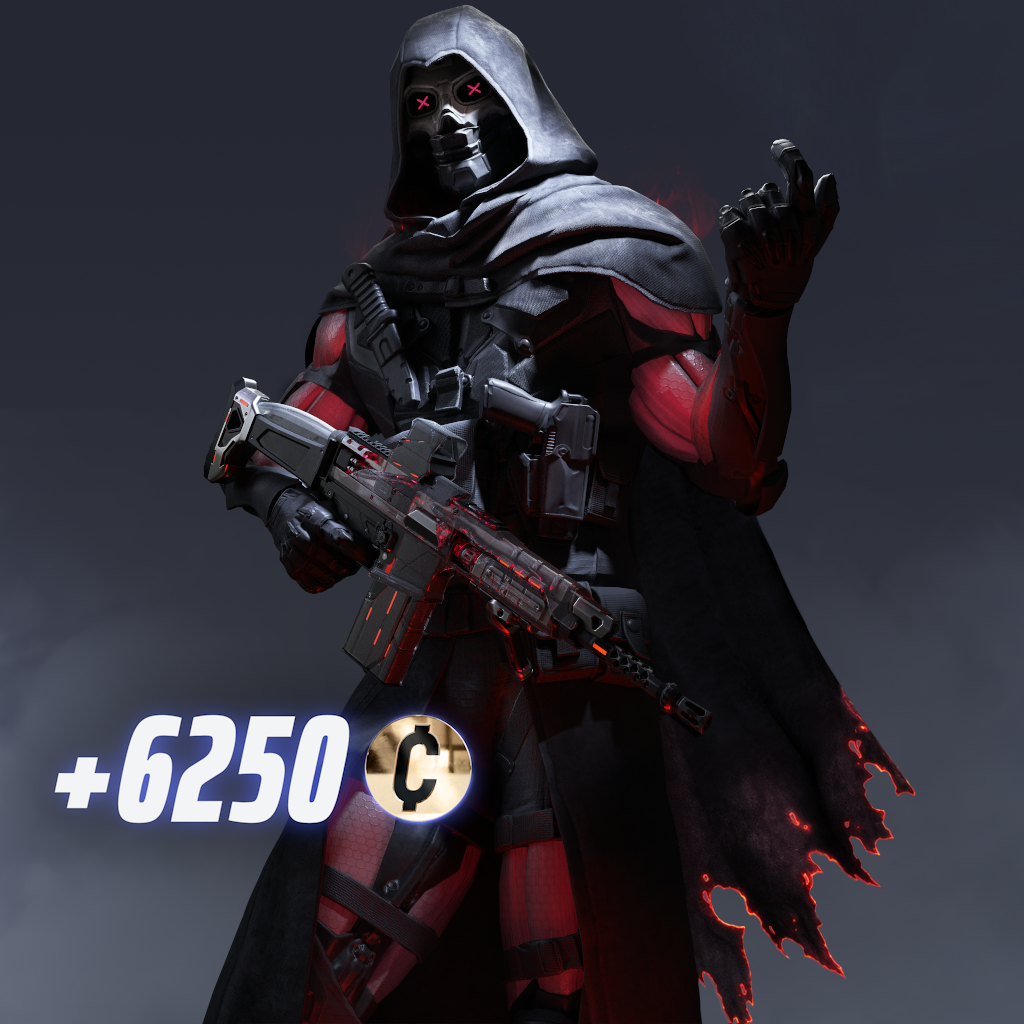
Remove all the doubt from your opponents with the Dead Certain Set, a bone-chilling Mythic offer that comes with a Mythic Outfit, FCAR skin, and Emote. A legendary Spear skin and charm, and an Epic Player Card Background. All this, and 6250 Multibucks to fuel your PRIME TIME journey.
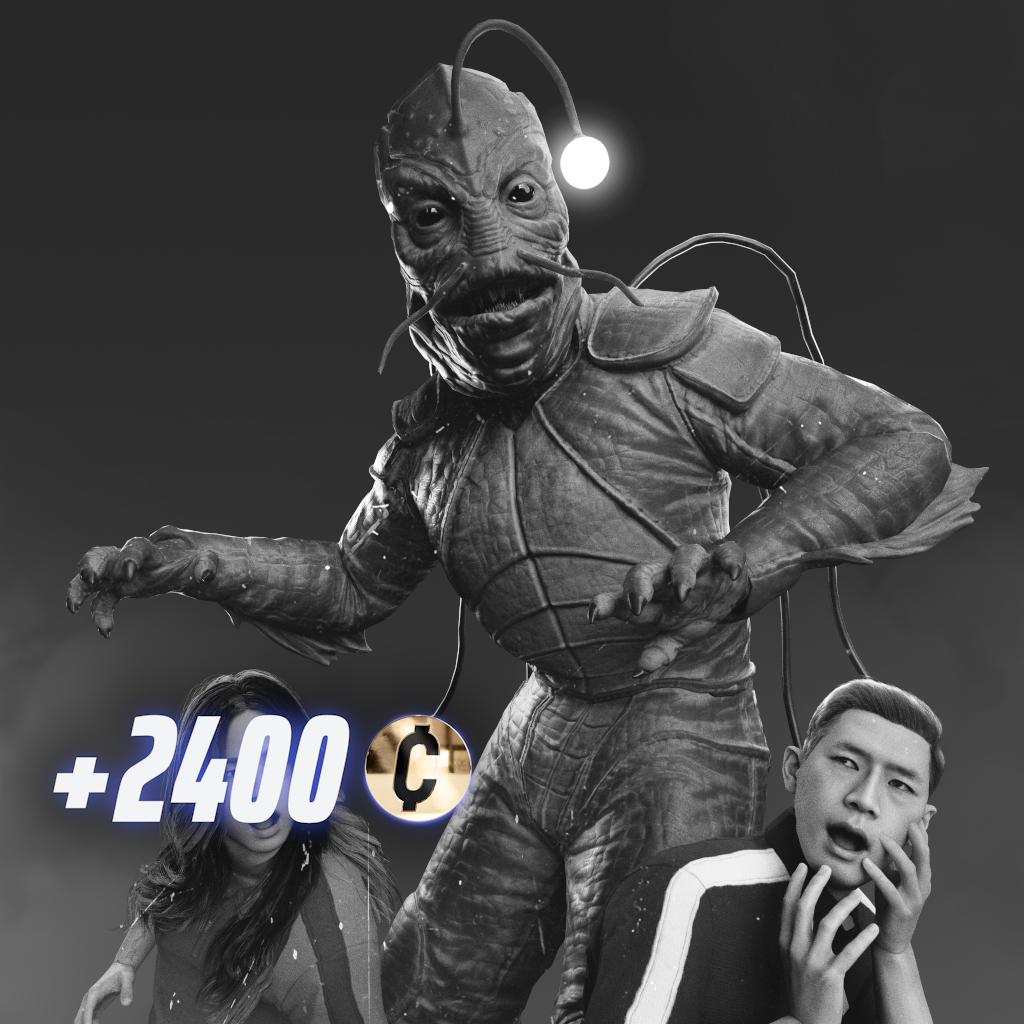
Don’t go toward the light! Stalk the swamp in The Bog Standard Set, a legendary outfit, Emote, and Weapon Skin for M60, along with a rare charm. This set comes with a Rare Charm. Bring some movie-quality magic to the Arena! It also comes 2400 Multibucks!
NEW EVENT | FRIGHTS GALORE
The Arena is in for a scare!
To celebrate Halloween, we’re inviting you to spin for some spooky rewards that will be wheely fun to obtain! Collect all 20 prizes by completing daily contracts to earn up to three tickets a day to spin the wheel!
Unlock enough rewards and earn the spooktacular Underworld Outcast Outfit!
TWITCH DROPS | BEBE THE BARRICADE
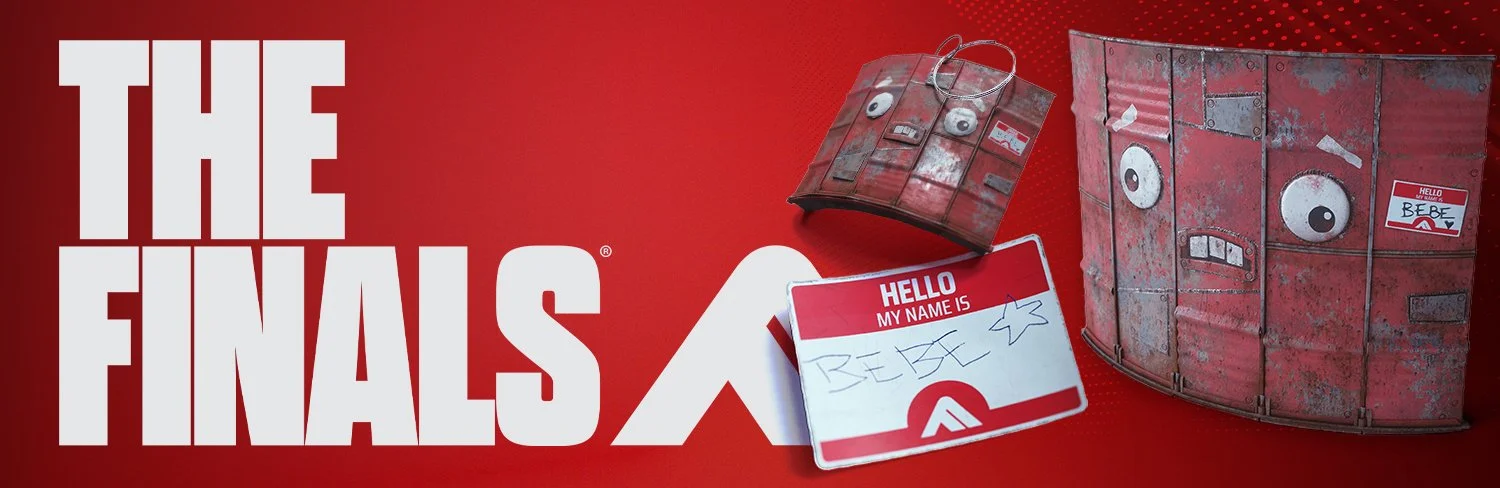
Bebe the Barricade is making her entrance into the Arena!
Your new friend will always be here by your side, defending whatever against whoever, no questions asked! Treat her well, she’s Terry’s good friend.
Watch 1 hour to get the Meet Bebe Sticker
Watch 2 hours to get the Pocket Bebe Charm
Watch 4 hours to get the Bebe the Barricade
Available now until November 5th, 2026. Terms and conditions on twitch.tv
GAME UPDATE | BALANCE CHANGES
Archetypes
General
Players can now run up slopes of an angle up to 50 degrees, increased from 45 degrees
Dev note: This is a quality of life improvement that we chose to add while reviewing the new destruction systems. With this increased run angle, we feel the environment becomes easier and smoother to traverse, with less stuttering or getting caught on objects.
Heavy
Decreased base health from 350 to 325
Increased sprinting speed when moving forwards from 5.8 m/s to 6 m/s
Increased sprinting speed when strafing from 3.65 m/s to 3.8 m/s
Increased sprinting speed when backpedaling from 3 m/s to 3.3 m/s
Increased run speed when moving forwards from 3.8 m/s to 4.35 m/s
Increased run speed when strafing from 3.2 m/s to 3.6 m/s
Increased run speed when backpedaling from 3 m/s to 3.2 m/s
Light
Increased base health from 150 to 175
Increased the delay until health regeneration kicks in after last taking damage from 7s to 8s
Decreased sprinting speed when moving forwards from 7 m/s to 6.6 m/s
Decreased sprinting speed when strafing from 4.6 m/s to 4.4 m/s
Decreased sprinting speed when backpedaling from 3.8 m/s to 3.7 m/s
Decreased run speed when moving forwards from 5.5 m/s to 5.1 m/s
Decreased run speed when strafing from 4.4 m/s to 4.2 m/s
Decreased run speed when backpedaling from 3.8 m/s to 3.7 m/s
Dev Note: These changes to Heavy and Light are a result of the Respec Order test being made a permanent part of the game. More details can be found in the blog post here.
Arena Carriables
Powder Canisters
Increased the radius of the smoke from 3.5m to 4.5m
Increased the duration of the smoke from 9s to 13s
Toxic Gas Canister
Decreased the duration from 12s to 10s
Dev Note: These changes are small adjustments made based on the addition of dynamic smoke and toxic gas and the counter-play that can come from explosions and blast waves.
Gadgets
Breach Drill
Hit markers will no longer trigger when the Breach Drill blinds the user or their allies, only for enemies
Dome Shield
The Dome Shield’s health now automatically deteriorates over time, with the Shield losing 100 health per second
Dome Shield health increased from 250 to 600
Dev Note: We’ve not been happy with how Dome Shield has functioned for a while now. We’ve been using its health to try and clamp its power ceiling, while still keeping it useful to have a viable floor, but that has been hard to do. Even at 250 health, enemies frequently don’t want to try to shoot it down with damage because of how often it leaves them on low ammo once the Dome pops and the ensuing fight that usually emerges. With this new functionality, we feel shooting down the Dome Shield will cause it to pop sooner, encouraging more attacking of it, while its extended health still offers more value to users despite the Dome being counterable through damage alone. It’s a somewhat experimental change and new way of doing things for the game, so we’ll be keeping a close eye on this.
Explosive Mine
Increased damage from 120 to 145
Dev Note: Like a lot of damage changes throughout these patch notes, this is an adjustment made based on the new Heavy and Light archetype health values and the addition of the Respec Order changes.
Flashbang
Hit markers will no longer trigger when a Flashbang blinds the user or their allies, only for enemies
Increased the minimum flash duration from 1.5s to 2s
Increased the maximum flash duration from 4.5s to 5s
Increased the reliability of hit traces with the Flashbang. This increases the chances to hit targets when the grenade lands near thin or small objects that would previously block it
Decreased the maximum intensity of flashes on teammates from 0.95 to 0.35
Increased the flash intensity threshold to display a hitmarker from 0.75 to 0.85, meaning that hit markers will now only display when the opponent has received a significant hit
Dev Note: We’d love to see Flashbangs being used more often and we think these quality of life improvements should make them more desirable of a pick.
Frag Grenade
Increased max damage from 140 to 165
Decreased the size, transparency duration of the Frag Grenade’s light trail to make it slightly less intrusive
Gateway
Increased max allowed distance between the player and their first deployed gateway portal from 50m to 60m
The distance check now accounts for the Z-distance, resulting in a cap in the vertical distance between player and portals which previously was unlimited
Increased cooldown from 40s to 50s
Dev Note: How we’ve calculated the distance between Gateway portals up until now has been somewhat unreliable and led to use cases that we don’t think lead to particularly great encounters between teams. This updated calculation is much more consistent but we’ve adjusted the range between portals to keep a fairly consistent feel to the old behavior so as to not surprise people. The change to the Gateway’s cooldown is part of a border attempt this season to boost the value of Medium’s utility in relation to Light’s.
Gas Grenade
Decreased gas duration from 12s to 8s
Decreased cooldown from 24s to 20s
Increased ammo from 1 to 2
Decreased radius from 5m to 4.5m
Dev Note: With the addition of dynamic smoke we’ve taken the opportunity to make Gas Grenades easier to counter, with shorter uptime, but with more frequent usage. The aim here is to create a scenario where Toxic Gas clouds need to be managed by the player to sustain uptime, rather than have them be entirely ‘fire and forget.’
Gas Mine
Decreased radius from 5m to 3.5m
H+ Infuser
Decreased health given per shot from 11 to 10
Dev Note: We want to balance out the value of the H+ versus the Medium’s Healing Beam and this adjustment is aimed at making that happen.
Lockbolt
Teleporting through a Gateway now immediately breaks any connections to a Lockbolt
Dev Notes: We’ve seen some crazy uses of Gateway combined with Lockbolt and we applaud the creativity, but this functionality causes a lot of bugs, technical issues and balance problems that are simply too extensive for it to make sense for us to address them all. This particular combo was not something we’d really designed for with high intent so therefore, on balance, we’ve resolved to remove it.
Mimic Device
Added the Mimic Device gadget to the Light’s arsenal
Pyro Grenade
Added explosive damage on impact to Pyro Grenades, in addition to their damage from burning
Deals 40 damage
Damage radius of 2.5m
Damage is explosive and applies through smoke, unlike fire damage
Dev Note: We’ve found the Pyro Grenade a little too unreliable compared to Pyro Mines and Frag Grenades up until now. We feel the addition of some explosive damage raises the floor of the item and makes it feel a little more consistent.
Pyro Mine
Decreased explosive damage from 55 to 45
Dev Note: This change to Pyro Mine’s is aimed at balancing out some of the value between it and the Pyro Grenade, alongside the changes mentioned above.
Smoke Grenades
Increased radius from 3.5m to 4.5m
Increased smoke duration from 9s to 13s
Dev Note: With the addition of dynamic smoke and more counters to Smoke Grenades via explosives, we’ve buffed the power of the Smoke Grenades themselves to offset that. We hope this change will be part of causing Smoke Grenades to be used much more in general, while the numerous new counters offer a solution to that.
Sonar Grenade
Sonar Grenades are now available to the Medium archetype, in addition to Light
Dev Note: We’ve been looking to even out the utility available to both Lights and Mediums to try and ensure both of them can be equally valuable from a utility perspective. Making the Sonar Grenades an addition to the Medium’s arsenal provides another option to them, opening up new synergies in a space where Light usually dominates.
Thermal Bore
Decreased fuse time before detonations from 1.75s to 1.4s
Translocator
Added the Translocator gadget to the Light’s arsenal
Vanishing Bomb
Increased cooldown from 25s to 30s
Adjusted throw arc on secondary/underhand throw to be straighter. The throw should now be faster and more reliable
Game Modes
Cashout & Ranked Tournament
Decreased the time it takes for Vaults to open from 20s to 10s
Decreased Vault spawn preview duration from 15s to 5s, meaning Vaults spawn more quickly after their location is revealed to players
Cashout round duration increased from 9 minutes to 9.5 minutes
Final round duration decreased from 20 minutes to 14 minutes
Dev Notes: Over time we’ve seen a trend of cashboxes 5 and 6 in Cashout matches being started slightly later than we’d like and this has often led to only one of the two being deposited before overtime starts. It has also led to first placed teams frequently stalling one of the cashboxes as a tactic. The upshot of this is that when only one final phase box is deposited, the rate of ‘griefing in’ of an opposing team or doubling the cashboxes increases and this drops the qualification rate of the second placed team to levels we’re not happy with. To tackle this, we’ve decided to increase the round length slightly while also decreasing the length of the Vault spawning and opening phases of play, to accelerate the overall pace of rounds. The goal is to reduce the effectiveness and success rate of stalling a deposit during cashboxes 5 and 6 and to increase the rate at which both cashouts get started during that phase of play.
Adjusted Vault and Cashout Station spawning logic to reduce long-distance placements and increase variation
Game Show Events
General
Removed Mega Damage event from rotation
Removed Low Gravity event from rotation
Added Double Jump event to the rotation
Dev Note: We’ve had a lot of feedback from players that both Mega Damage and Low Gravity were either not fun or confusing in how they work, so we’ve taken this opportunity to remove them from rotation. To replace them, we’re bringing in Double Jump which we’ve previously used during various limited time mode events.
Double Jump
Removed the need for a jump to have occurred before a double jump can be triggered. This allows double jumps to be triggered in scenarios such as after using a jump pad or after running off a roof
Dev Note: This is a small quality of life improvement to Double Jump to make it more reliable to use than previous iterations.
Gameplay
Revive Statue
Increased the size of the interaction volume on Revive Statues to make them easier and more reliable to interact with
Dev Note: This small quality of life change should make reviving easier and reduce how often players might accidentally start interacting with a nearby deployable by mistake.
Dynamic Smoke
Smoke effects generated by Smoke Grenades and Toxic Gas can now be dispersed via explosions and blast weapons from items like C4, Frag Grenades, Shockwave, RPGs and so on.
Maps
General
Increased the environmental health of ladders from 100 to 550 to allow them to better withstand explosions from grenades
Specializations
Charge ‘N’ Slam
The ground slam attack now only deals damage to targets close to the ground. Elevated or airborne targets no longer take slam damage but still suffer knockback and concussion
Cloaking Device
Increased the volume of the Cloaking Device’s idle sound when the user is stationary
Increased the audible range of the Cloaking Device’s movement crackle sounds, making it easier to hear moving cloaked players from slightly further away
Dev Note: We’re continuing to try and find the right balance between cloaking offering a fun style of play to the game without being too oppressive for its opponents. These quality of life changes we feel help with that.
Guardian Turret
Guardian Turret now detects and highlights it’s active target, allowing the turret’s owner and teammates to see the opponent through walls and smoke as long as they stay within the turret’s sights
Dev Note: This is a somewhat experimental addition to the Guardian Turret to increase its viability without increasing its combat power and some of the annoyance it can often present to new players. We also see this as a small boost to the utility potential of Mediums.
Grappling Hook
Grappling Hook now has a variable cooldown. The cooldown duration now depends on how long the grapple was active for. Short duration uses recover faster, longer duration uses recover faster
Minimum cooldown duration set to 4s
Maximum cooldown duration set to 7.5s
Dev Note: We’ve stated before now that we’d like to see the Grappling Hook’s usage rates and viability increase and we think this new method of handling the grapple’s cooldown could help with that. How you use the grapple going forwards will impact how often you can access it to use.
Healing Beam
Increased healing per second from 46 to 50
Dev Note: As noted several times above, we’d like to see the utility strength of Medium’s increased in relation to other archetypes, especially Light, as we feel they’ve lagged in this department for some time. We feel this boost to the Healing Beam should help on that front, in conjunction with various other changes we’re making in the 12.0 update.
True Sight
Added the True Sight Specialization to the Light archetype
Weapons - Melee
General
The lunge component of regular attacks is now predictive when required, adjusting how the lunge behaves depending on the target’s movement
If the target is running into melee range, the lunge will not occur
If the target is running sideways the lunge will compensate for this slightly
The speed of the lunge adjusts based on the direction and distance to the target, so that the lunge delivers the player to where they need to be to land their attack
Hit sweeps have been improved to make them more accurate and more consistent
Increased the granularity of sweeps so that hits more accurately sync up with the weapon’s position
Increased the accuracy of when hits in a sweep are considered Precision hits or not
Removed some small gaps in hit sweeps that could lead to attacks occasionally missing when they shouldn’t
Dev Note: It’s quite hard to explain the impact of these two changes above but during the run up to Season 12 we’ve put considerable effort into trying to smooth out the usability of the new melee system introduced in Season 11. With these changes, lunges should much more reliably deliver you to a moving target, reducing how often you fall short of them or overshoot them. Combined with the improvements to hit sweeps we feel these changes make the melee system much more reliable and predictable. The majority of the balance changes made to melee weapons and listed below are in response to the impact of these changes.
Dagger
Primary Attack
Updated maximum lunge speed based on the changes to lunge prediction
Decreased lunge distance from 5m to 4.25m, to compensate for the changes to lunge prediction
Updated the attack’s hit sweeps to make the weapon more accurate and reliable
Secondary Attack - Backstab
Updated maximum lunge speed based on the changes to lunge prediction
Decreased lunge distance from 5m to 4.25m, to compensate for the changes to lunge prediction
Updated the attack’s hit sweeps to make the weapon more accurate and reliable
Decreased the duration of the Backstab attack from 0.5s to 0.35s
Increased the base damage of the Backstab from 85 to 90
Dual Blades
Primary Attack
Updated maximum lunge speed based on the changes to lunge prediction
Updated the attack’s hit sweeps to make the weapon more accurate and reliable
Increased damage for precise hits from 57 to 60
Increased the base damage from 37 to 39
Increased the size of the precision angle from 12 degrees to 14 degrees
Secondary Attack - Cross Slash
Updated the attack’s hit sweeps to make the weapon more accurate and reliable
Increased the width of the weapon’s hit box from 0.3m to 0.55m to adjust for the updated hit sweeps
Increased damage for precise hits from 140 to 155
Increased the base damage from 91 to 100
Increased the size of the precision angle from 12 degrees to 14 degrees
Secondary Function - Deflect
Deflected bullets will now follow the player’s crosshair more accurately, making it easier to aim deflected bullets back at opponents
Removed the Imprecise Deflect angle to make deflecting bullets feel more reliable and less ambiguous. The Precise Deflect remains as the only deflection angle for bullets
Precise Deflect angle is now matched to the 14 degree precision angle of melee attacks. This means the precision angle crosshair can now be used to help players more accurately block incoming bullets
The deflect angle for melee attacks remains 65 degrees
Bullets deflected now give hit markers if the player hits an enemy with them
Dev Note: In addition to the balance changes above made in support of the new lunges and hit sweeps, we’ve taken the chance this season to improve the reliability and feedback of the Dual Blade’s Deflect. Hopefully it’s much clearer now when this will block, when it won’t and if you’re hitting the target with deflections.
Quick Melee
Updated the size and position of Quick Melee’s hit sweep, making it easier and more reliable to hit targets
Riot Shield
Primary Attack
Updated the attack’s hit sweeps to make the weapon more accurate and reliable
Increased the width of the weapon’s hit box from 0.8m to 0.95m to adjust for the updated hit sweeps
Increased the height of the weapon’s hit box from 0.3m to 0.4m to adjust for the updated hit sweeps
Increased damage for precise hits from 86 to 90
Increased the base damage from 60 to 63
Secondary Attack - Shield Bash
Updated the attack’s hit sweeps to make the weapon more accurate and reliable
Increased the width of the weapon’s hit box from 0.35m to 0.55m to adjust for the updated hit sweeps
Increased the height of the weapon’s hit box from 0.55m to 0.9m to adjust for the updated hit sweeps
Updated the Shield Bash’s lunge component to reach slightly further but overshoot less often
Sledgehammer
Primary Attack
Updated maximum lunge speed based on the changes to lunge prediction
Decreased lunge distance from 5m to 4.5m, to compensate for the changes to lunge prediction
Updated the attack’s hit sweeps to make the weapon more accurate and reliable
Secondary Attack
Updated maximum lunge speed based on the changes to lunge prediction
Decreased lunge distance from 5m to 4.5m, to compensate for the changes to lunge prediction
Updated the attack’s hit sweeps to make the weapon more accurate and reliable
Spear
Primary Attack
Updated maximum lunge speed based on the changes to lunge prediction
Decreased lunge distance from 6.5m to 5.75m, to compensate for the changes to lunge prediction
Updated the attack’s hit sweeps to make the weapon more accurate and reliable
Decreased the width of the weapon’s hit box from 0.4m to 0.35m to adjust for the updated hit sweeps
Secondary Attack - Spin Attack
Updated the attack’s hit sweeps to have hits better match the animation
Decreased the impact of the knockback from Quick Melee kick attacks on Spear players while they’re spinning, pushing them a shorter distance
Sword
Primary Attack
Updated maximum lunge speed based on the changes to lunge prediction
Decreased lunge distance from 4.25m to 4m, to compensate for the changes to lunge prediction
Updated the attack’s hit sweeps to make the weapon more accurate and reliable
Decreased damage for precise hits from 110 to 100
Decreased the base damage from 71 to 65
WEapons - Ranged
BFR Titan
Increased damage from 90 to 95
Decreased the duration of empty and tactical reload
Decrease reload intro animation from 0.68s to 0.62s
Decreased reload loop animation from 0.88s to 0.8s
Delayed the bullet restock point from 0.465s to 0.52s
Dev Note: With the increased health of Lights and reduced health of Heavy we’ve increased the effectiveness of the BFR to compensate. The majority of damage changes made to weapons below are also done in light of the Respec Order changes becoming permanent with Season 12.
CB-01 Repeater
Increased damage from 84 to 88
Increased damage falloff multiplier from 0.64 to 0.66, meaning the weapon does slightly more damage at max range
Chimera-XB
Increased damage from 45 to 47
KS-23
Decreased damage from 104 to 100
Dev Note: We’ve still found the KS to be over-performing slightly in light of its new found popularity of the last six months, we feel this change probably brings it back to a more balanced place now that so many players are aware of the fantastic utility the weapon offers.
LH1
Decreased damage from 44 to 40
Decreased damage falloff minimum range from 50m to 35m, giving the weapon a slightly shorter effective range
Decreased damage falloff max range from 55m to 45m, giving the weapon a slightly shorter effective range
Dev Note: With the increase in health for the Light we’ve taken a look at the archetype’s top outlier weapons and made changes to bring them slightly more inline with the other Light weapons. This means both the LH1 and XP-54 are taking small damage reductions.
Lewis Gun
Increased rate of fire from 500 RPM to 520 RPM
M60
Increased rate of fire from 580 RPM to 600 RPM
MGL32
Increased damage from 83 to 97
P90
Increased damage from 14 to 15
Pike-556
Increased damage from 49 to 50
R .357
Increased damage from 74 to 76
SA1216
Decreased recoil intensity by around approximately 20%
Smoothed the recoil pattern slightly between shots 2 and 3 in a firing sequence, making the weapon slightly easier to aim
Decreased the size of the pellet dispersion pattern, reducing the outer radius slightly
Increased the damage fall-off multiplier from 0.62 to 0.67, meaning the weapon now does slightly more damage at range
Dev Notes: SA1216 has been largely out of the meta for some time, aside from a small band of dedicated expert users. We want to bring it a little more back into the mainstream so we’ve made this set of quality of life improvements to help do this.
SR-84
Increased damage from 118 to 122
XP-54
Decreased ammo from 36 to 34
GAME UPDATE | CONTENT & BUG FIXES
Animation
Fixed an issue where a Contestant’s arm could twist or flip when retrieving a Gadget or interacting while turning away
Fixed an issue where the Contestant’s left arm could flip when pointing past a target
Polished vaulting animations for smoother transitions
Fixed an issue where the Contestant’s hand briefly covered the screen when using a Zipline while priming a grenade
Fixed an issue where a Contestant’s arm could distort during Sledgehammer attacks performed while in the air
Fixed an issue where the Contestant’s arm when playing pointing animation for Pings didn’t play after using up charges of ammo-based Gadgets such as C4
Restored the ping pointing animation when using the Gateway with no remaining charges
Fixed an issue where the animation would sometimes not play when performing a lunge attack with the Sword
Fixed an issue where the Winch Claw could fail to play animations when used immediately after an emote or leaving a spectator view
Fixed an issue where the Recurve Bow’s shooting animation could appear distorted when swapping to it while holding Primary Fire
Fixed a visual-only issue where the first shot after reloading the R .357 had an inconsistent recoil animation
Removed minor weapon movement when aiming down sights with SR-84, Thermal Bore, and Tracking Dart
Stabilized leaning while moving for SR-84 and Tracking Dart
Fixed occasional full-body pose popping on characters when going into and out of sprint
Adjusted base poses to correct slight head orientation issues when using the C4 or Dagger
Updated the Best Contestants screen with new objective and support poses to reduce duplicate weapon poses in all slots
Added dedicated revive animations and improved synchronization of revives so that progress appears consistent for all players, including spectators
Fixed an issue where the M134 Minigun disappeared while using gestures
Improved Zipline usage animations for Dual Blades, including while deflecting
Fixed an issue where doors could snap open or closed without playing their opening animation
Fixed an issue where the Contestant’s arms could appear distorted after throwing the dynamite from the C4 “Blast Back” skin
Fixed an issue where the first-shot animation on shotguns could be skipped when firing rapidly right after reloading
Fixed an issue where the Riot Shield raise animation failed to play when blocking immediately after using Shockwave, causing a delayed or missing shield appearance
Fixed an issue where the Contestant’s arm could play an incorrect animation and raise a fist when picking up an object immediately after using Inspect
Fixed an issue where aiming down sights could overshoot during transitions, especially when quickly toggling ADS while moving
Fixed an issue where the player’s Contestant could disappear abruptly during end-of-round slow motion
Fixed an issue where the kick animation could end too early, making it unclear why opponents were pushed
Made various polish improvements to kick animations
Fixed an issue where Quick Melee attacks would not appear while vaulting
Fixed an issue where Quick Melee attacks could continue when interacting with the Winch Claw. Attacks made with or against the Winch Claw now interrupt Quick Melee as intended.
Audio
Fixed an issue where certain sounds could play twice and ignore the master volume when haptics or controller speaker outputs were unavailable
Updated spatial audio occlusion and attenuation for Weapons, footsteps, and environmental destruction to improve sound positioning and clarity
Fixed an issue where the GlamRock emote audio did not loop correctly
Boosted the volume of Starbounder’s dialogue to improve audibility
Reduced how much melee attack and impact sounds are ducked when taking damage, making incoming melee slightly more audible when already hurt
Refined destruction audio and commentary mix so commentary remains clear during intense moments
Fixed an issue where squad voice-over for the local team was not correctly tagged
Added a voice effect to the Absorbe face cosmetic
Fixed an issue where commentary was not playing during doubled Cashouts
Updated the Evasive Dash sound effect falloff, making it easier to hear when players dash around and behind you
Added a new Guardian Turret destruction sound effect to make it easier to hear when it is destroyed
Fixed an issue where Flamethrower audio could continue playing after you stopped firing
Fixed an issue where the SR-84’s elimination countdown sound from a Weapon skin could be heard from very far away
Fixed the Homefront Edge Sword skin playing incorrect audio; it now plays the intended sword sounds for deploy and attacks
Fixed an issue where main menu music could continue playing after reconnecting mid-round
Footsteps
All surfaces have new and remixed sounds, tuned to be slightly louder and brighter overall
Footstep volume is now more consistent across surface types. Grass, sand, and dirt no longer sound significantly quieter than harder ground
Light, Medium, and Heavy archetypes now each have distinct footstep sounds
Made enemy footsteps sound louder than the players, and this difference has been increased slightly. Teammate’s footsteps are slightly quieter than the players
Made footsteps easier to pinpoint directionally, especially left and right
Footsteps played from above now use a dedicated overhead effect
Removed an additional audio layer that previously played alongside enemy footsteps
Made landings sound louder and weightier, especially from greater heights
Cosmetics
Fixed an issue where cloth could spike or jitter under extreme bending, improving visual stability of cloth simulations
Fixed an issue where a musical emote’s audio could end prematurely when another player’s musical emote finished; the audio now continues for the full animation
Fixed an issue where Weapon skins with special sound effects could play the default Weapon audio in matches; these skins now play their intended sounds consistently
Improved compatibility of Straight Bob hairstyles with other customization items for consistent behavior
Fixed an issue where equipping a Weapon animation from store or equip prompts did not also apply the default animation for that category, and corrected reward screen equips selecting the wrong default
Improved cloth simulation for Outfits and hair to reduce freezing and ensure more consistent movement across detail levels
Polished the visuals of a long, curly hairstyle
Added an Eyewear customization slot and updated select Facewear and headwear items to be compatible
Improved the game show presentation
Separated some items that were once connected so they can be equipped independently in the Eyewear slot
Added a Sprint category to Weapon animation customization
Polished the slicked-back hairstyle
Fixed an issue where unlocked screen customization was broken for the Ye Olde Tavern and Maw of Many Multi-Device skins, which only have custom screen variants available
Fixed an issue where Outfits like Track & Field Top and Sashimi Shirt would display incorrect names on party members in menus
Fixed a visual pop at the start of the SH1900 Shell Shredder inspect animation
Fixed an issue where custom Weapon animations (Inspect and Empty Reload) could revert to default after certain actions, such as being revived with the Defibrillator, using Mesh Shield, traveling through a Gateway, or performing or canceling an emote
Fixed an issue where the Machine Vision Facewear from the Synthetic Citizen bundle did not appear on the Player Card
Fixed an issue where the Bad News Bandana appeared on top of the head instead of the face when using the Hexcrowned Eidolon face on the Light Build
Fixed an issue where the pet in the Reptile Rouser emote could disappear when zooming in the Expressions preview
Added an androgynous customization option for the Medium Build
Fixed missing reload sound effects for the SR-84 Schwarzschild skin
Fixed missing sun detail on HOLTOW Insurance Weapon skins
Added an OSPUZE-themed voice effect when wearing the OSPUZE helmet cosmetic
Gadgets
Goo Grenade
Fixed an issue that caused Goo to spawn incorrectly on ceilings
Fixed an issue that caused Goo to spawn incorrectly on tilted walls
General
Fixed an issue where a Lockbolt hit by a Glitch Grenade right as it activated could chain players who walked up to it without pulling them, with the chain effect persisting until they were eliminated
Game Modes
Team Deathmatch
Skyway Stadium
Updated the border and spawns of the Mansion location to fit the update
Adjusted the spawns in the Office location to make more use of the different floors of the building
Added a Jump Pad in the pool of the Hotels location
Temporarily disabled the Medical Center and Hotels locations to increase the likelihood of playing the areas that received layout changes this update
Power Shift
Skyway Stadium
Adjusted the platform’s path in various areas to fit the reworked Mansion diorama and layout updates
Adjusted spawns to fit the layout updates to the Office building
Seoul
Adjusted the platform’s path around the Hospital cafeteria to work with the newly added 101 Rooftop
Adjusted some spawns to fit the layout changes
Game Show Events
Alien Invasion
In Alien Invasion, the saucer’s beam now lifts the Cashout Station at the same speed as players and other objects
Gameplay
General
Fixed an issue where sprinting could bash open doors incorrectly, triggering on destroyed doorways and allowing double doors to open while facing away at an angle
Fixed an issue where ammo regeneration could run slower than intended, causing full refills to take longer than expected
Fixed an issue where environmental eliminations from anti-gravity zones, gravity zones, Jump Pads, or Ziplines could fail to credit the attacker and award reduced coins; these eliminations now grant proper credit and rewards
Explosions no longer launch the Revive Statue as far as they once did; it now keeps its travel direction and rolls naturally
Swapping items mid-lunge no longer freezes the character or snaps them forward; lunges now behave consistently
Quick melee now kicks more reliably when closing in on an opponent or landing on them, reducing cases where an elbow would trigger instead. Stamina requirements are unchanged
Melee Weapon hits are no longer interrupted by vaults or dashes. Quick Melee kicks can still interrupt these moves
Contestant statues now bounce off the Out of Bounds border instead of drifting back, reducing travel time
Emotes are no longer interrupted by automatic reload when your Weapon is empty; starting a manual reload will still cancel the emote
Fixed movement stutters when running up steep slopes
Blocked achievement progression in modes where progression is disabled, including Cashout (Bots). Achievements such as class win milestones and total Cashout count no longer advance in these matches
The round timer now shortens to match the duration of the final Cashout when the Cashout is set to complete before the match timer runs out, preventing downtime where no objective would be active
Fixed an issue where selecting a Light archetype before a round could result in spawning as a Medium archetype; Loadout selections are now correctly restored if an invalid setup was saved
Addressed a rare issue where players could respawn as a different Contestant after using a coin in Cashout, ensuring the correct Loadout and Contestant selection persist after elimination
Fixed an issue where jumping was possible during a melee lunge while airborne
Orbital Lasers no longer target Contestants being revived with the Defibrillator
Fixed scoring and assist credits in Deathmatch: assists now require meaningful damage, self-eliminations no longer grant hidden rewards, and assist indicators appear only when earned
Pausing during the tutorial intro no longer stops the countdown
Fixed an issue where suspended containers could break on spawn, causing contents such as Goo Barrels to trigger immediately instead of dropping as intended
Fixed an issue where the Dodgeball Champion achievement could be completed by damaging your own Hover Pad
Fixed an issue where the Revive Statue could teleport back to its previous location after being carried and placed
Fixed an issue where aim could reset or rotate unexpectedly when joining a match or when input briefly stopped, which could interrupt actions like reviving
Bots
Added functionality that lets bots acknowledge objective and player pings and provide clearer squad target callouts
Improved bot navigation when dropping from ledges, climbing ladders and crossing gaps to reduce stalls and awkward movement
Adjusted bot behavior in Challenges so they stay on Cashouts more reliably during steals and are less likely to fixate on newly picked targets
In Challenges, melee bots no longer use abilities on Easy and Medium difficulties; abilities remain enabled on Hard
Fixed an issue where bots could get stuck firing after a team wipe and respawn, sometimes targeting the Contestant instead of opponents
Tweaked the difficulty of "Meet the Dummies", "Cashout Defense" and "Big Box Battle"
Bots now turn around faster overall. This change scales with difficulty
Bots no longer fire as accurately when players are in close proximity
Bots now better prioritize non-player targets, getting less stuck focusing on mines and turrets
Updated bot difficulty across the board to make difficult bots slightly easier
Added ziplines and ladders to "Cashout Defense's main building
Added ziplines to "Big Box Battle"'s high ground platform
Improved bot navigation across horizontal gaps by validating safe approaches and landings, reducing odd movement in these transitions
General
All items that previously required VRs to unlock are now included in the default inventory
Improved hair shading for indirectly lit hair
Rank scores are now automatically adjusted after server outages. An inbox message will be sent to indicate an adjustment
Maps
General
Large shipping crate containers are now destructible
Planks are now made out of segments so they break more dynamically
Adjusted construction crane destruction to reduce breakage when hitting the ground
Updated environmental props, Arena branding and sponsor decals across Arenas to improve visual consistency
Changed the jumbotron in various Arenas so they have their own unique style
Increased Arena bridge opening speed from 7 to 9 degrees per second
Tweaked the preview-path of the Moving Platforms so it’s a bit easier to see where the platforms will be moving to
Removed narrow lip above some skyscraper windows to avoid unexpected movement
Dev Note: We’re aware that vaulting up onto these windows has been utilized by some players in the past, but this was never intended behavior. We want our environments to be readable in a way where contestants can clearly understand where they can climb and where opponents can approach from, if they're not using items to create their own path, and we feel the routes these narrow window lips offer do not fit that criteria.
Original Las Vegas has been removed from the map rotation.
Dev Note: In order to ensure a high quality across our map pool, we are retiring the original Las Vegas for the time being, so we can focus our upkeep and maintenance efforts on other maps. Maintaining both versions of Las Vegas comes with considerable overhead and complexity in how they were authored.
Added a matchmaking option to play the updated Arena layouts for Seoul, Monaco, and Skyway Stadium
Bernal
Adjusted a player spawn to prevent the camera from clipping into a billboard at the start of a round
Adjusted a Zipline on the Chapel to prevent it from floating when the structure collapses
Fangwai City
Adjusted collisions on various street props to reduce snagging and improve movement
Kyoto
Temporarily disabled Moving Platforms Variant as we work on several adjustments for it
Monaco
General
Visual upgrades across the exteriors and interiors of the Arena
Modified house interiors with new structural walls, penthouses, and attics
Added chimneys to provide rooftop cover
Added alternative initial spawns, giving Contestants and Vaults a possibility of new starting spawns at the beginning of a round
Hotels & Cliffside
Replaced “Grandma’s House” with a larger one, adding more strategic options when fighting here
Added a path along the cliffside for flanking
Added cover to the backyard of Hotels
Royal Plaza
Added new planters to provide cover when crossing or fighting over the plaza
Removed the old fountain, lift, and smaller blast walls and replaced them with a new large circular arena lift and rounded blast wall s controlled by a button
Lowered the patio between the Royal Plaza and Forest to provide more cover from overlooking areas
Forest
Added a new large stone terrace to the middle of Forest to break up long sight lines and add new combat options
Expanded the Arena with a new gazebo outlook in the corner, adding a new Cashout location
Pocket Park
Expanded map borders to add more playspace
Replaced the old container yard near Pocket Park with a Café
Villas
The underpass between the Villas and the park is now fully destructible and features a new internal maintenance room with a Cashout Station inside
Nozomi/Citadel
Moved a large pipe on the outside of the Research Facility to fix an issue where players could get stuck behind it
Practice Range
Fixed several visual issues with portraits and adjusted object placement to prevent overlap
Added an Orbital Hitters trophy
Updated character showcase to represent S12 cosmetic content
Seoul
General
Spaced out Arena Carriables to avoid chain reactions and make disguised players easier to spot
Mall
Added an additional café to the top floor
Reworked shop layouts to provide more defensive positions and structure
Added a reception space on the bottom floor to tighten several sight lines and create more cover
Expanded the shops at the back of the Mall to simplify the layout while providing more cover
Added a new Cashout Station on the top floor inside the “Gimbap Pal” kitchen
Added more cover around the front of the Mall to reduce cross-fire from the Data Center and make Vault fights less chaotic
Polished visuals in the Mall, updating storefronts, lighting decals, signage, and interior props
Data Center
Added a Jump Pad toward the Mall to make crossing more reliable
Updated the Rooftop Garden layout to provide better structure for fights in that area
Reduced the layout complexity of the server room under the Rooftop Garden
Hospital / 101 Rooftop
Added a new building alongside the Hospital rooftop that provides more cover but is slower to cross
Updated the Hospital Garden planters and hut to provide more reliable cover and structure
Apartments
Widened the Courtyard rooftop to provide more freedom of movement, and cover for Contestants on the ground floor
Added additional cover options at the back of the Courtyard and adjusted existing doors toward the Cashout Station
Updated vegetation visuals
Under Construction
Added a Jump Pad from Mall to Under Construction
Tightened some sight lines to reduce the number of angles Contestants are exposed to at once
Refined environmental art in the construction site
Las Vegas Stadium
General
Added alternative initial spawns, giving Contestants and Vaults a possibility of new starting spawns at the beginning of a round
Re-enabled Las Vegas Sandstorm variant
Center
Replaced the central platform with a larger circular display to provide better cover in the middle of the map
OSPUZE Casino
Redesigned the rooftop to break up sight-lines and reduce the effectiveness of long-range poking
Added a bar and a VIP lounge on the upper floor, adding a new power position and route to the roof
ALFA ACTA Casino
Added new roof structures to provide more cover
Added an emergency staircase to the back of the stage area to help contestants access the roof from the back alley
Expanded and simplified the backstage area and added pillars for cover
Skyway Stadium
Mansion
Redesigned the entire diorama to reduce defender-advantage, create equal opportunities for different playstyles, and to feature more varied playspaces.
Updated the suspended structures and moving platforms of the Up, Down, Left, Right Variant to fit the new layout
Office
Moved down by 18m to make the approaches less oppressive
Adjusted the Jump Pad setup between Office and Mansion to provide more traversal options
Added a large fence on the roof facing Mansion to limit the high-ground advantage
Added cover and overhangs to the front courtyard and roof areas to reduce exposed angles and give attackers more options after landing
Adjusted the balconies in the atrium to continue along the walls and added a server room underneath to make the space less open and one-dimensional
Added a new room on the second floor to break up the space
Added aircon vents along the walls of the big meeting room to add more vertical gameplay opportunities
Added two new Cashout locations
Hotels
Reduced the amount of windows facing construction on the De Sable building to separate the balconies into a more distinct space
Updated interior visuals across all buildings
Reworked cover, added new interior walls, and adjusted attic windows for several buildings
Shopping District
Updated interior visuals across all buildings
Reworked cover, added new interior walls, and adjusted attic windows for several buildings
Medical Center
Adjusted some walls and floors of the T-shaped suspended structure to give it more directional frontlines
SYS$Horizon
Temporarily disabled the Foggy Night condition while readability issues are addressed
Lighting
Game-wide rework of lighting and post-processing effects. This is ongoing work that we’ll continue to refine
Performance
Optimized spawn effect and Weapon hologram materials to reduce texture memory use
Improved performance when using animated props by reducing spawning and destruction overhead
Optimized memory usage by removing unused shader data
Optimized the character spawn visual effect to reduce rendering cost
Reduced hitches during team intro sequences by ensuring customization assets are loaded in advance
Fixed an issue preventing variable-rate shading from being applied to some materials
Improved loading, network performance, and match join stability on the Las Vegas Sandstorm variant
Improved responsiveness of the Settings screens while in-game
Reduced install size by rescaling and removing outdated video content
Reduced frame drops when aiming down sights with certain weapon-scope combinations, mainly focused on Pike-556 using the Scout or Iron Vintage sights
Memory optimizations and memory leak fixes resulting in fewer memory related frame rate hitches
Social
The social wheel can now be opened while eliminated
Fixed an issue on Xbox where friend avatars could appear as the default icon after launch; they now load correctly without needing to restart
Fixed an issue where a fifth party member’s Contestant initially appeared in the wrong spot in menus and then shuffled; party members now retain the correct order
On PC, pressing P in-session now opens the Social menu inside the new side panel instead of the previous screen, and the Social button in the Exit tab has been streamlined
Fixed an issue where accepting a game invite via System UI on Xbox could fail to join the party in game
Added Privacy settings for dynamic commentary, including a toggle to enable or disable it and an option to prevent your name from being mentioned
Fixed an issue where the Social tab could show duplicate team names after backfilling into Practice Range, and updated it to show only your team in Practice and Tutorial
Text Chat in menus now respects your custom key bind: the on-screen icon shows your chosen key, and Enter no longer opens chat after rebinding (including on the Private Match screen)
Specialization
Fixed an issue where Healing Beam could stop working in Practice Range after switching to another Specialization while it was overheated
Spectator
Fixed an issue where destroyed Ziplines and ladders could reappear during Instant Replays
Freefly spectating now starts from the last Instant Replay view, preserving orientation for a more consistent transition
Fixed an issue where, while spectating, a Contestant’s interaction and pointing arms could aim in the wrong direction, sometimes appearing centered on the screen
Fixed an issue where the Freefly spectator camera moved upward when respawning while holding the space key
Stability
Improved stability in the Tournament outro screen to prevent rare errors and crashes
Improved stability in the tournament screen to prevent errors during Contestant loading and customization
Fixed a crash that could occur when using the radial wheel at the start of a round
Fixed an issue where skipping the Instant Replay before it started could cause a crash
Improved startup reliability on PS5 by adjusting the service sync timeout to reduce boot-time errors
Fixed a crash that could occur after loading into a match while in a party
Upgraded the static breaking system with a faster, more robust solver, improving stability and load distribution in densely connected structures
Improved voice chat reliability by preventing endless reconnect attempts and ensuring fresh credentials are used for each retry and rejoin
Fixed a crash that could occur when interacting with text input fields
Fixed an issue where a disconnected player’s pause could keep the match paused for others
Fixed a rare server crash that could occur when a Contestant joined during an Arena transition
Fixed an issue where leaving a match could result in an infinite loading screen after End of Round; players now return to menus correctly if the survey fails to appear
Reduced rare cases where login or session renewal could stall on Steam
Fixed a rare server crash that could end a match for all Contestants
Resolved a rare issue where characters in the tournament intro might not load correctly when bots are shown, improving stability during intros
Resolved a rare stall that could occur after being eliminated by quick melee
Fixed an issue that could cause the match timer to display 99:99 and prevent some Weapon and equipment audio from playing
Fixed a background memory leak that could slowly increase memory usage over time, improving overall client stability
Fixed an issue in Private Matches where pauses from multiple spectators could stack, preventing the match from resuming as expected; adjusted pause controls to avoid conflicts when multiple spectators pause or unpause
Fixed a crash that could occur when changing the Overall Quality Level in Video settings
Fixed missing Glitch Trap and Frag Grenade in the tutorial that blocked progression, and addressed a performance drop and crash after completing a Cashout
Fixed an issue where Instant Replay could trigger errors with continuous-fire Weapons like the M134 Minigun if they were already firing as they appeared, causing their audio and effects to behave incorrectly
UI
Added a setting for the celebration ticker to hide Signature Plays, allowing you to show only scoring events. Signature Plays still progress and award Fans
Fixed an issue where previewing voice lines in the customization menu could fail to play or would only play once
Fixed an issue where the Anti-Gravity Cube’s Void Core skin displayed incorrect animation names in the Animations tab during preview
Fixed an issue where an empty team could appear in Cashout (Bots) during the first round on the Scoreboard and End of Round screen
Fixed an issue where the local team could appear as cutouts on the between-rounds screen in Cashout on consoles
The stamina bar now fades when the Communication Wheel is open, improving readability
Increased the slots available in the Expression Wheel
Fixed the Game Show Event widget incorrectly displaying “10:10” when an event has no set duration
Added a timer to the Gateway HUD icon to show its remaining active time
Spectators now consistently see Defenders in blue and Attackers in red in Point Break, including the in-match spectator HUD and the private match lobby
Fixed an issue where the Cart icon in My Outfits did not appear after adding an item until the tab was reopened
Updated tournament intro and presentation visuals
Fixed the team icon not appearing in the background on the winner podium
Adjusted Expression Wheel entry size and spacing to accommodate the expanded layout
Added a dedicated Controls section for communication and Expression Wheel key bindings to make them easier to find and customize
Refreshed loading screen visuals with updated backgrounds and sponsor logos
Added a setting to adjust the HUD aspect ratio
Double-clicking an equipped Player Card or Outfit now opens the edit view
Fixed an issue where the badge tier number on the Player Card did not update immediately after leveling up
Fixed an issue where the Equipment Wheel could show “not ready” for Gadgets and Specializations after their cooldown ended while the Wheel was open; pings now update correctly
Increased the default size of HUD elements and world markers on consoles; scaling is tuned per device to improve readability
Increased the fidelity of in-game HUD elements
Party members now display a distinct green nametag to differentiate them from matchmade teammates; you can turn this on or off in Settings
Added the ability to swap sights directly from a Loadout Weapon tile in the Practice Range, in-game where your reserve is available, and during the pre-round lobby
The lunge indicator now also previews the reach of charging secondary attacks, such as the Dagger Backstab, while you charge them
Fixed flickering and reordering of Loadout tiles when switching categories in the Contestant and Practice Range screens
Updated the scoreboard to optionally display a qualification cutoff line in modes with knockouts and to list teams by rank instead of pinning your team at the top for clearer standings
Fixed multiple issues in customization menus where equipping sometimes applied to the wrong item or required two presses; navigation and equipping now behave consistently across Animations, Stickers, Charms, and Attachments
Fixed an issue where the Multi-Device screen could scroll twice when navigating tiles with a gamepad; mouse and keyboard were unaffected
Fixed an issue where the Contestant preview could appear as a black or missing tile in the Change Loadout and Contestant screen after switching Outfits during Choose Contestant Pack
Improved controller navigation in Settings: wrap-around now loops correctly across pages, the menu scrolls to the selected option when wrapping, first options are no longer skipped, and option row highlights display correctly without clipping
Updated in-game input prompts to match the menu keycaps and display hold progress as a ring on the button, improving readability and consistency
Adjusted world icon scaling to improve readability at distance and fixed an issue where icons didn’t fade correctly when aiming down sights
Adjusted UI scaling so HUD elements no longer appear smaller at higher resolutions; updated HUD scale defaults accordingly
Fixed an issue where Contestant tiles briefly turned black when equipping customization items; the previous image now remains visible until it updates
Added a shortcut to cycle the HUD between full, reduced, and hidden
Fixed an issue where the end-of-round winner podium could display Contestants floating due to missing ground
Fixed an issue where the winner sequence could end too early due to incorrect timing selection
Polished the visuals for party members joining in the main menu
Refreshed the crosshair scoring tally with a new layout and smoother animations; entries now queue and merge into the tally instead of blinking out
Refined the boot sequence for a smoother experience, including sharper splash-screen scaling on all displays, updated loading spinner visuals, and the game window now opens when the first screen is ready
Fixed an issue where the intro transition did not play over the loading screen
Updated the boot experience with a new background, a glowing loading spinner, and improved 16:9 letterboxing
Fixed Weapons briefly appearing on hidden Contestants during tournament screens between rounds
Fixed an issue where bots could briefly appear as eliminated on the scoreboard at the start of bot matches
Fixed an issue where eliminated teams could briefly appear to respawn on tournament outro screens between rounds
Fixed an issue on ultrawide displays where the Player Card and elimination log did not properly leave the screen after being eliminated; they now fade out as intended
Added hitmarkers for when you are attacking an opponent blocking with Riot Shield or deflecting with Dual Blades
Added a rules panel to the in-match drafting screen so you can review the current game mode’s rules during drafting
Fixed an issue where the Controller settings could disappear while scrolling in the Settings menu
Added shotgun pellet hitmarkers showing how many pellets connected and where they landed
Fixed an issue where the character walk-in animation could restart during pre-round lobby transitions
You can now preview Weapon skin animations directly from the Battle Pass
Fixed an issue where 0-damage entries could appear in the kill log after being eliminated
Fixed an issue where Game Mode hints on the loading screen could briefly swap positions before a match
Fixed the restart notice not appearing when enabling DLSS Frame Generation or FSR Frame Generation in Video settings
Updated the credits screen with new retro demo effects
Fixed an issue where Orbital Lasers credited destruction and damage to targeted Contestants and incorrectly advanced Contract progress
Player Card edits no longer auto-save when navigating to other menus; unsaved changes persist when you return with a Save option, and you will be prompted to save before exiting. Note: unsaved edits are discarded after joining a match
Contestant pack tiles now display your saved Player Card pose and background
Moved Crosshair settings to their own tab, with new reticle customization options for Weapon sights including selectable shapes and per-shape settings
Added separate in-game settings to scale world icons independently from the rest of the HUD
Fixed the melee attack input hint to display the correct button icon
Added a dedicated icon for the unarmed state in the Loadout and inventory screens
Improved controller rotation speed and responsiveness when inspecting characters and items in menus to better match mouse input
Updated Player Cards for training dummies with more variations based on playstyle and behavior
VFX
Fixed a bug where dynamic smoke penetrates walls in very large buildings that have been destroyed
Refined glitched wall edges, destruction masking, and crack visuals for cleaner-looking breakage and higher visual fidelity
Fixed debris piles not displaying correctly in replays and for Contestants who join an ongoing match.
Polished environmental damage and wear visuals for concrete, plaster, and wood surfaces to improve clarity and higher visual fidelity
Added a hover highlight to objects that can be picked up, making them easier to identify
Polished fire and burning effect visuals for improved clarity and consistency.
Updated the spawn-in visuals when entering the Arena
Fixed incorrect weapon spawn effects for party members in the lobby.
End-of-round slow motion now continues through the transition, with updated timing and visuals for both WINNER and QUALIFIED sequences.
Fixed an issue causing certain light sources missing baked shadows
Fixed an issue where the Defibrillator revive hologram could persist longer than intended
Fixed a visual issue where a hologram effect could appear and flicker on glass surfaces, including the Glitch Barrel.
Updated Goo visuals, including the goo mesh and shader.
Improved explosion visuals for RPG-7, Frag Grenade, and Gas Grenade.
Reduced screen shake from Healing Barrels, Toxic Gas Barrels, and Gas Grenades. These detonations now use dedicated, less intense visual shake effects for improved readability.
Fixed the glass of sight lenses being misaligned on some weapons.
Updated Smoke Grenade and Gas Grenade visuals so smoke conforms to walls and confined spaces; after being displaced (e.g., by Shockwave), gas now fades out and refills the area correctly.
Fixed an issue where terrain textures could display blocky squares at higher graphics settings, notably on KYOTO.
Added intro fireworks to Monaco, Seoul, Las Vegas Stadium and Skyway Stadium
Fixed an issue where Proximity sensor tethers were sometimes not visible
Weapon
General
Melee pushes no longer knock a player out of a Winch Claw pull or out of Charge ’N’ Slam; the attack still deals damage
Melee attacks now ignore invulnerable opponents such as during spawn protection or after a revive, allowing swings to hit valid targets behind them
Melee lunges can now be started while sliding
Fixed an issue where stamina sometimes wasn’t restored after hitting an enemy
Assisted melee lunges now end early if the target moves out of range or if you stop aiming at them, preventing unwanted pulls after the moment has passed
Pressing crouch now cancels lunges that pull you toward a target; crouching is disabled while any lunge is active
Melee lunges now end if your target moves behind cover, preventing pulls that carry you into walls or obstacles
Dagger
Dagger backstabs now register more reliably against opponents, reducing cases where hits from behind were counted as normal hits
Recurve Bow
Fixed an issue where the Recurve Bow could fail to fire after using an emote
Riot Shield
Riot Shield now continues to block while the inspect animation plays
Fixed an issue where the Riot Shield could incorrectly block shots from certain Weapons to exposed parts of an opponent during movement or crouching
Throwing Knives
Fixed an issue where using expressions while charging the Throwing Knives secondary attack could leave the arm stuck in a charged pose
